
Consolidate Without Repeated Exports
Stop opening company files one at a time, exporting separate reports, and rebuilding combined results. QQube refreshes the selected companies and preserves the company identity required for consolidation, comparison, and filtering.
✓ Consolidated and company-level reporting
✓ Consistent company filters and comparisons
✓ Scheduled or on-demand synchronization
✓ Editable reports and application examples
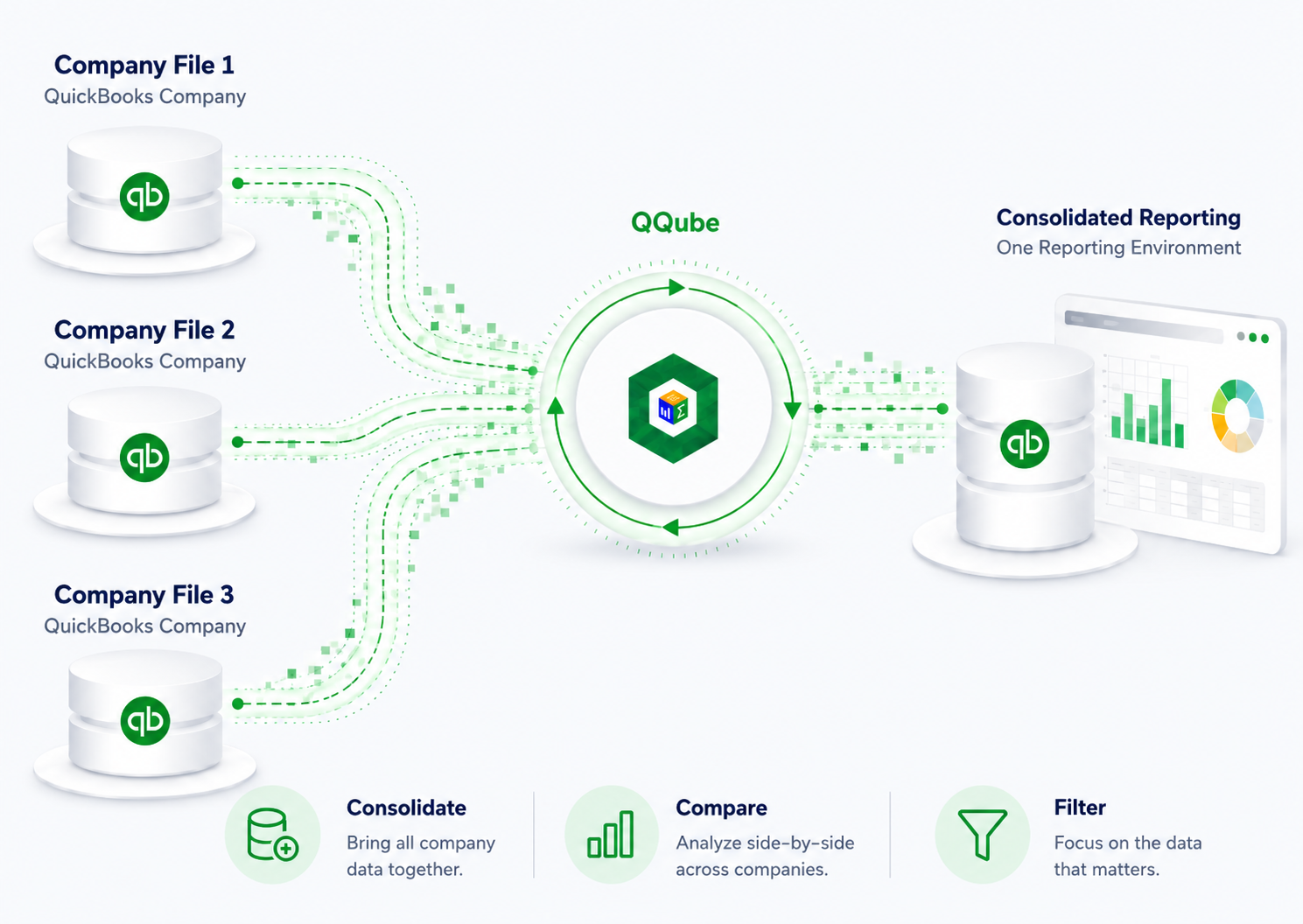
Consolidate Results
Combine company-level information into consolidated reports without exporting separate files.
Compare Companies
Review company files side by side using the same fields, calculations, periods, and report structure.
Filter Any Company
Analyze one company, a selected group, or every company from the same reporting environment.
Standardize Lists
Compare accounts, items, customers, classes, and other lists across company files.
How Multiple-Company Reporting Works
1
Connect Company Files
Authorize the QuickBooks company files included in the QQube multi-company environment.
2
Synchronize Automatically
Refresh selected companies on demand or on a schedule without opening every file manually.
3
Report from One Database
Consolidate, compare, filter, and customize reports using consistent company identification.
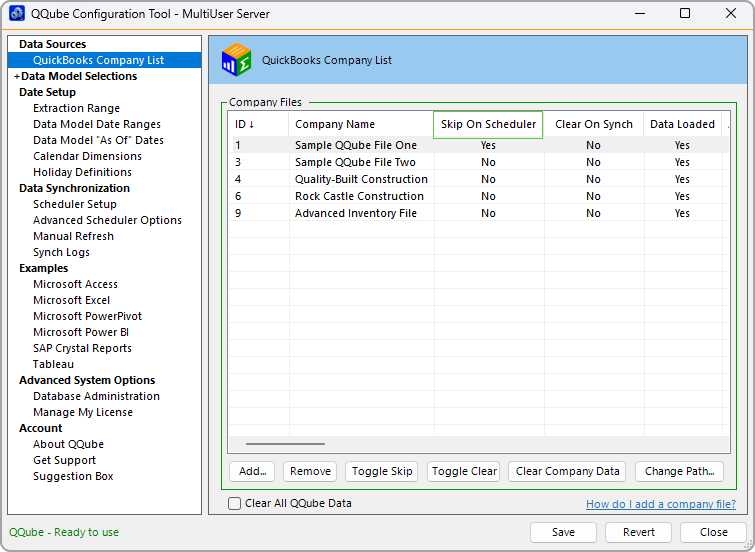
Select the company files and business models that belong in the synchronized reporting environment.
Report Across Business Models
Use multiple-company reporting for financials, sales, purchasing, inventory, job costing, payroll, general ledger, and other QQube business models.
Prebuilt Does Not Mean Locked
Start with an included example or create your own. Change fields, calculations, filters, visuals, queries, and presentation while retaining the prepared multi-company structure.
Choose the Company Capacity That Fits
QQube multi-company add-ons are available for organizations that need to report across up to 3, 10, 50, or 100 QuickBooks company files.
3
Company files
10
Company files
50
Company files
100
Company files
See Multiple-Company Reporting in Action
Request a personalized demonstration or review the QQube editions and multi-company add-ons.