
You just build the report
Power Pivot is one of six reporting applications with included QQube examples. Open an example, refresh it with your QuickBooks data, and customize or extend the report to fit your needs.
- Comprehensive reporting models organized around QuickBooks business subjects
- DAX measures provide advanced, reusable calculations beyond standard PivotTable calculated fields
- Large QuickBooks datasets stay in the Excel Data Model instead of being constrained by worksheet row limits
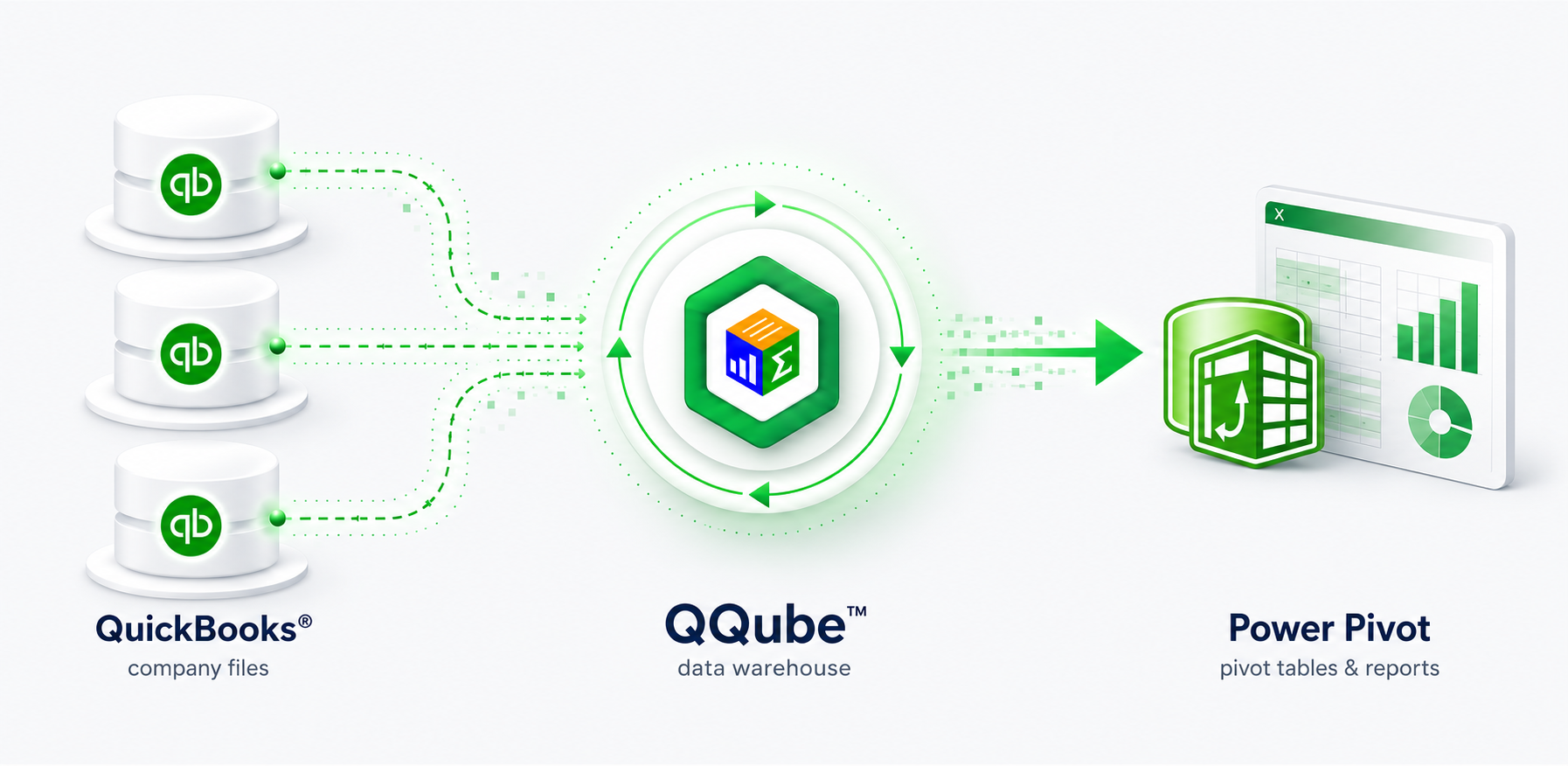
Start with a working Power Pivot report
Included examples show how the reporting model works in Power Pivot and give you a practical starting point for your own report.
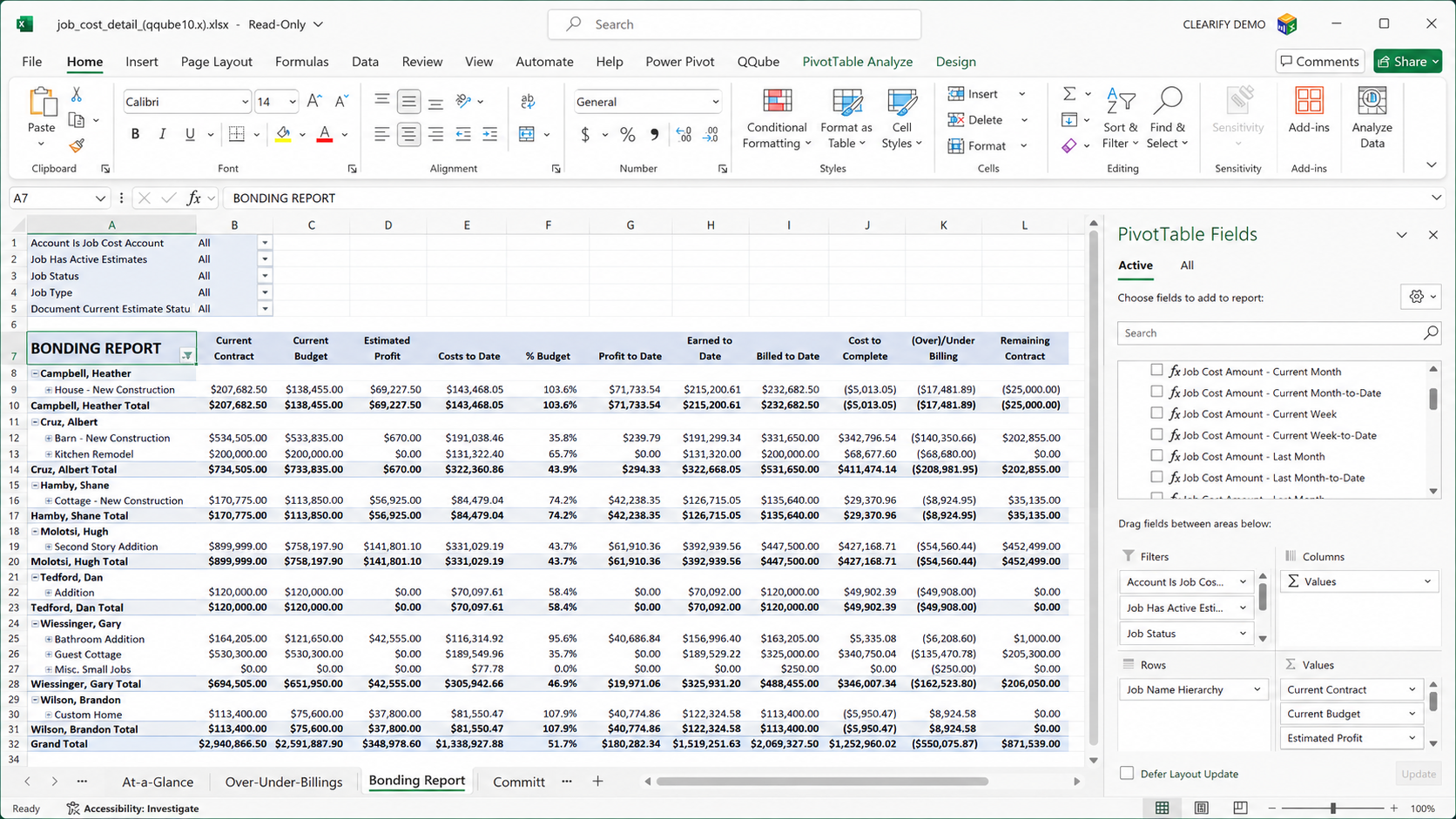
A customizable Power Pivot report built on the comprehensive QQube Job Cost reporting model.
QQube prepares what a raw connector leaves to you
A connector extracts QuickBooks data. QQube organizes and prepares it for reporting.
Comprehensive reporting models
Each model is organized around a reporting subject and designed to provide the QuickBooks information available for that subject.
Reporting structure
Relationships, accounting logic, calculated fields, friendly names, hierarchies, and formatting are already prepared.
Ready-to-use DAX measures
More than 5,700 measures across the model collection support calendar, comparison, hierarchy, and other Power Pivot analysis.
Included examples
Open a model-specific workbook, refresh it, keep what works, and build the PivotTables, PivotCharts, and reports you need.
CLEARIFY engaged internationally recognized DAX expert Marco Russo of SQLBI to help design QQube’s DAX implementation.
What QQube prepares for you
The Power Query connection, reporting model, relationships, DAX measures, and formatting are already in place. You start with the reporting foundation already prepared.
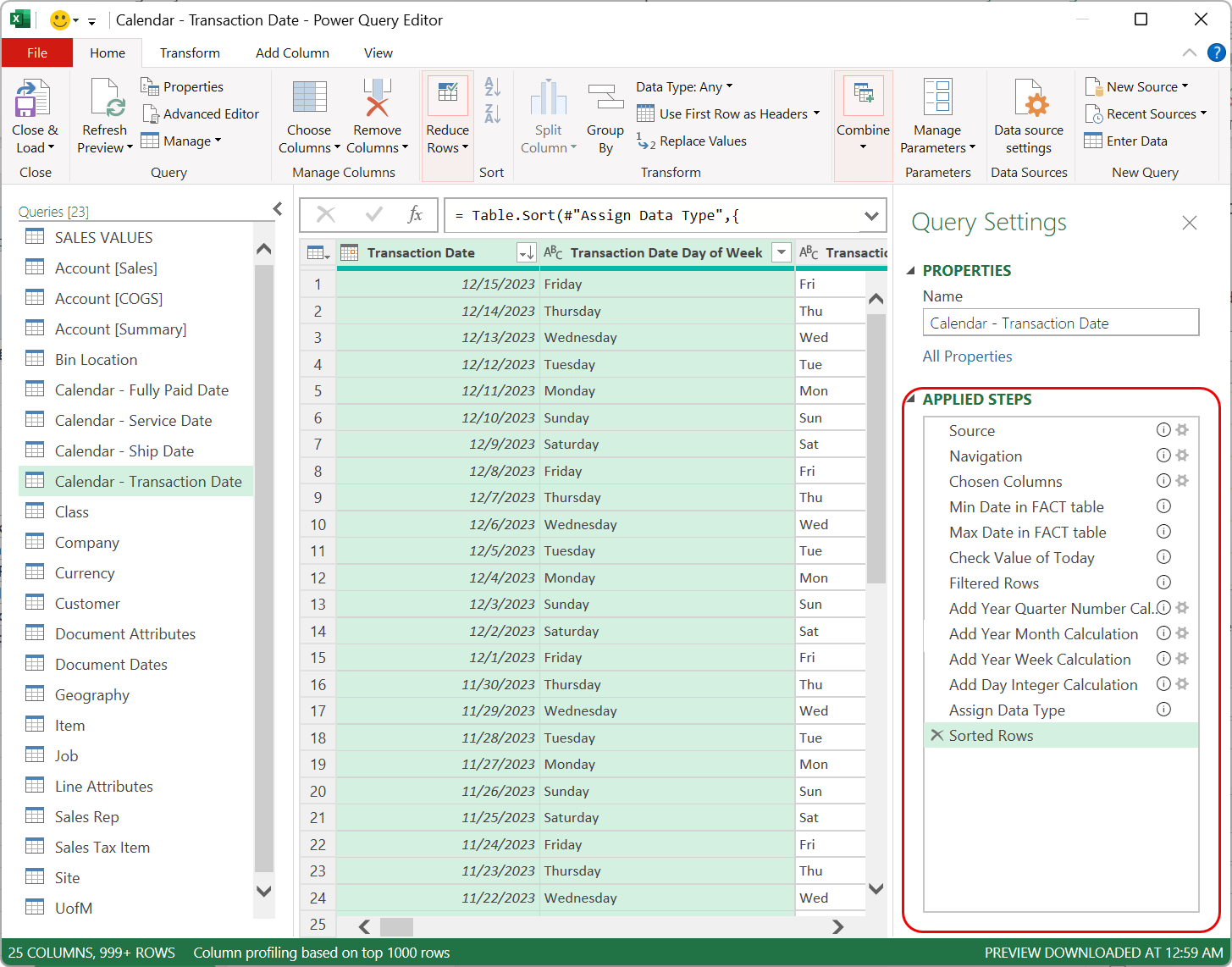
Prepared Power Query connection
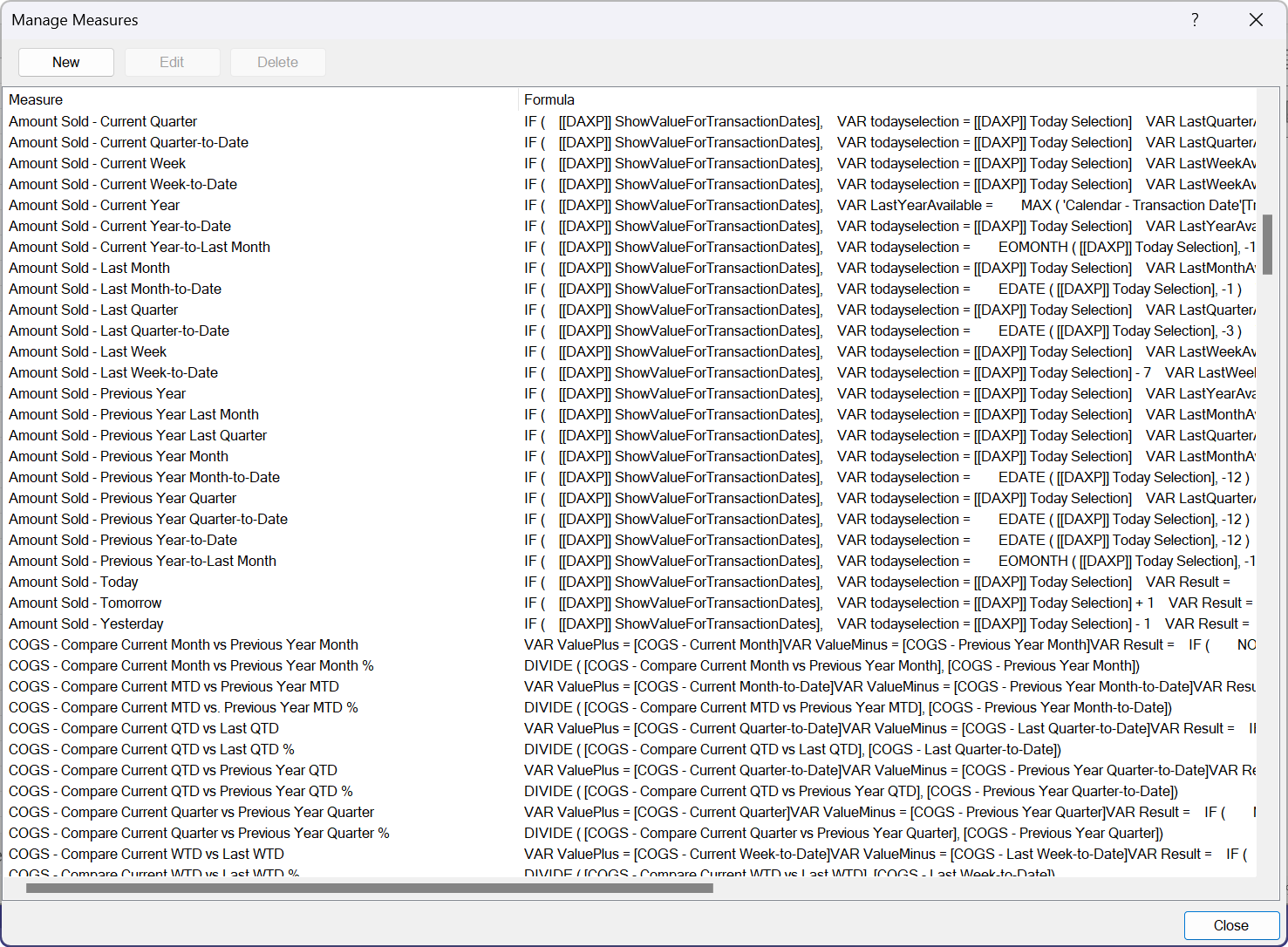
Prepared DAX measures
Start building in Power Pivot
Connect QuickBooks, synchronize the reporting model you need, and open an included Power Pivot example.