
See Every Change in Context
QQube organizes QuickBooks audit history into a reporting-ready view of what changed, who changed it, when it changed, and the resulting dollar impact.
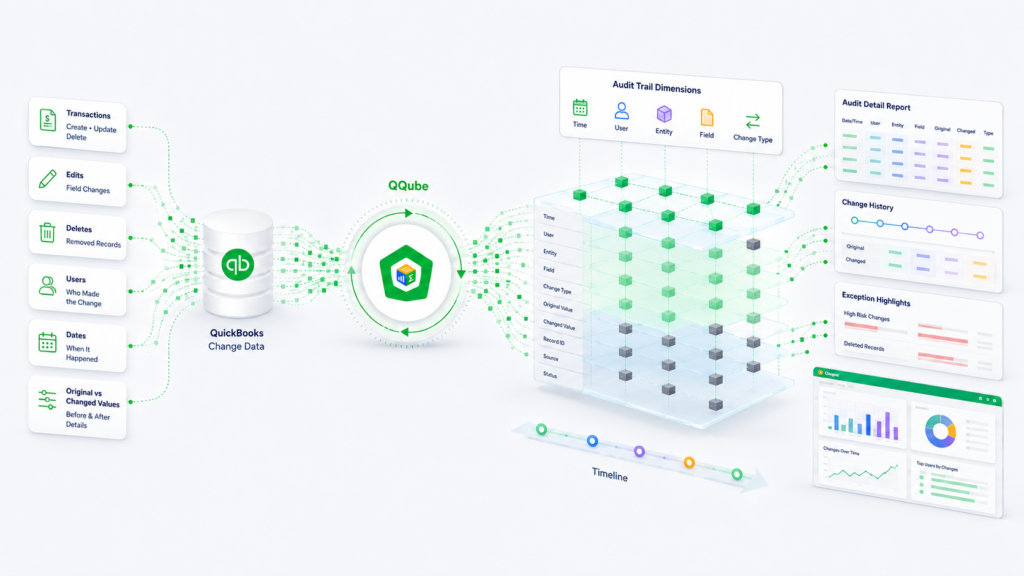
Transaction Changes
Review change history, change counts, and dollar impact.
Users and Time
See who made changes and when the activity occurred.
Business Context
Analyze changes by entity, class, user and account.
Document Detail
Drill from document-level into transaction-line changes.
What QQube Prepares
QQube adds the audit-specific structure and calculations needed to analyze history instead of simply exposing audit records.
Calculated Change Analysis
Change counts and total dollar impact since the original transaction.
Audit-Specific Dimensions
Users, dates, transaction types, entities, reps, classes, items, and related detail.
Controlled History
Choose the audit-trail date range and analyze only the history you need.
See the Reporting Result
Excel Audit Trail Detail
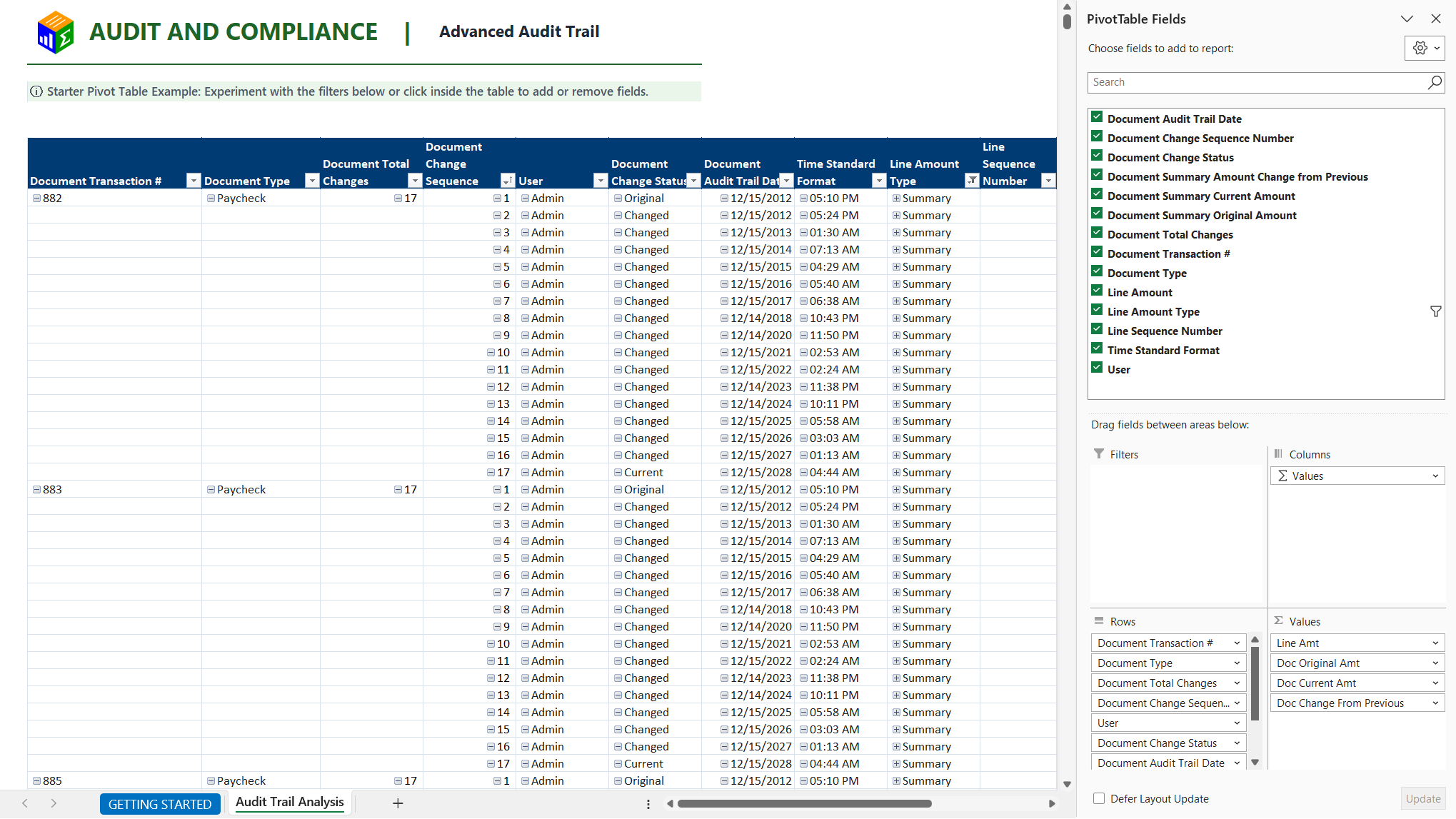
Review document and line changes, including dollar impact.
Power BI Audit Trail Overview
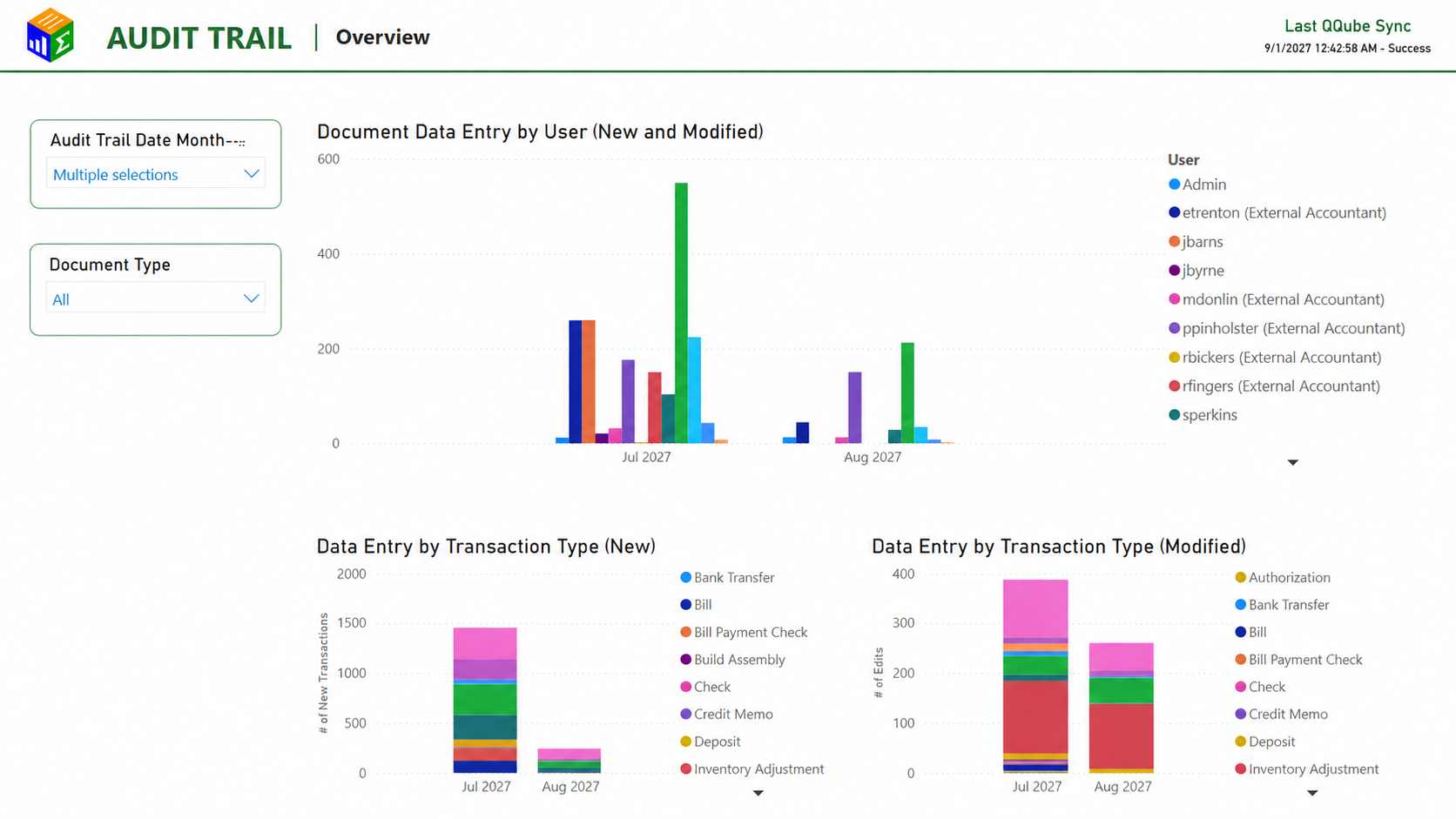
Analyze activity by user, transaction type, dollars, and time.
Audit Trail Reference
Start Reporting on Audit Trail Activity
Connect QuickBooks. Choose the audit history you need. Open an included example and begin reporting.