
Follow Customer Activity from Order to Payment
QQube organizes sales, open orders, payments, and receivables into reporting models for customer activity, profitability, fulfillment, and collections.
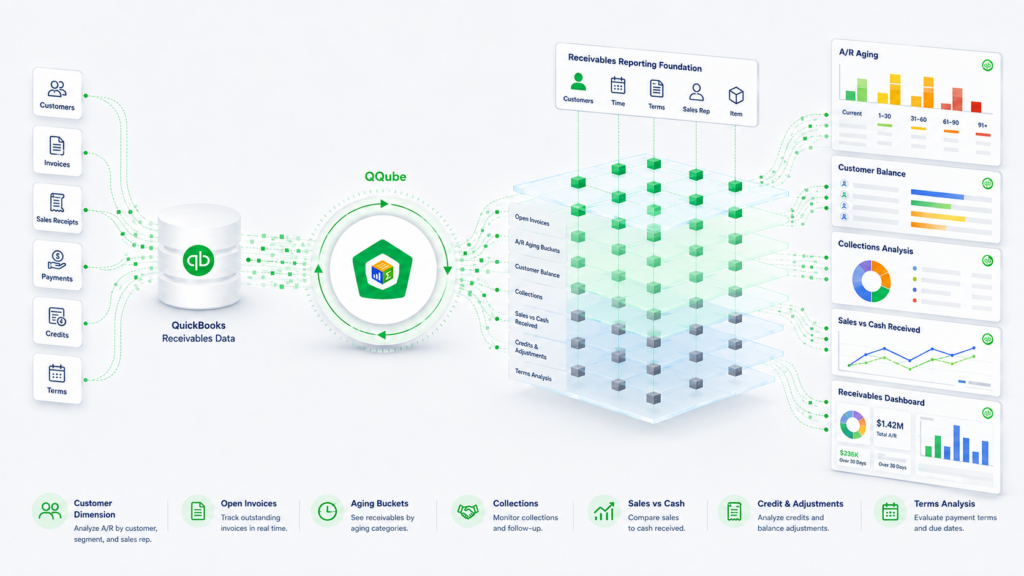
Sales and Profitability
Analyze sales, COGS, margins, pricing, discounts, and commissions.
Open Sales Orders
Review ordered, invoiced, open, back-order, and expected-shipping activity.
Payments and Credits
See applied payments, credits, discounts, remaining amounts, and paid dates.
Accounts Receivable
Analyze open balances, aging, terms, average days to pay, and credit standing.
What QQube Prepares
QQube prepares the applied-sales detail, fulfillment values, and reporting calculations needed to analyze the customer cycle.
Applied Sales Detail
Connect payments, credits, discounts, open amounts, and paid dates to the sales documents they affect.
Order and Fulfillment Values
Use original, invoiced, and open quantities and amounts with fulfillment, back-order, and assembly detail.
Prepared Analytics
Includes 368 Sales, 43 Open Sales Orders, and 31 Accounts Receivable DAX measures.
See the Reporting Result
Excel Fill Rate Report
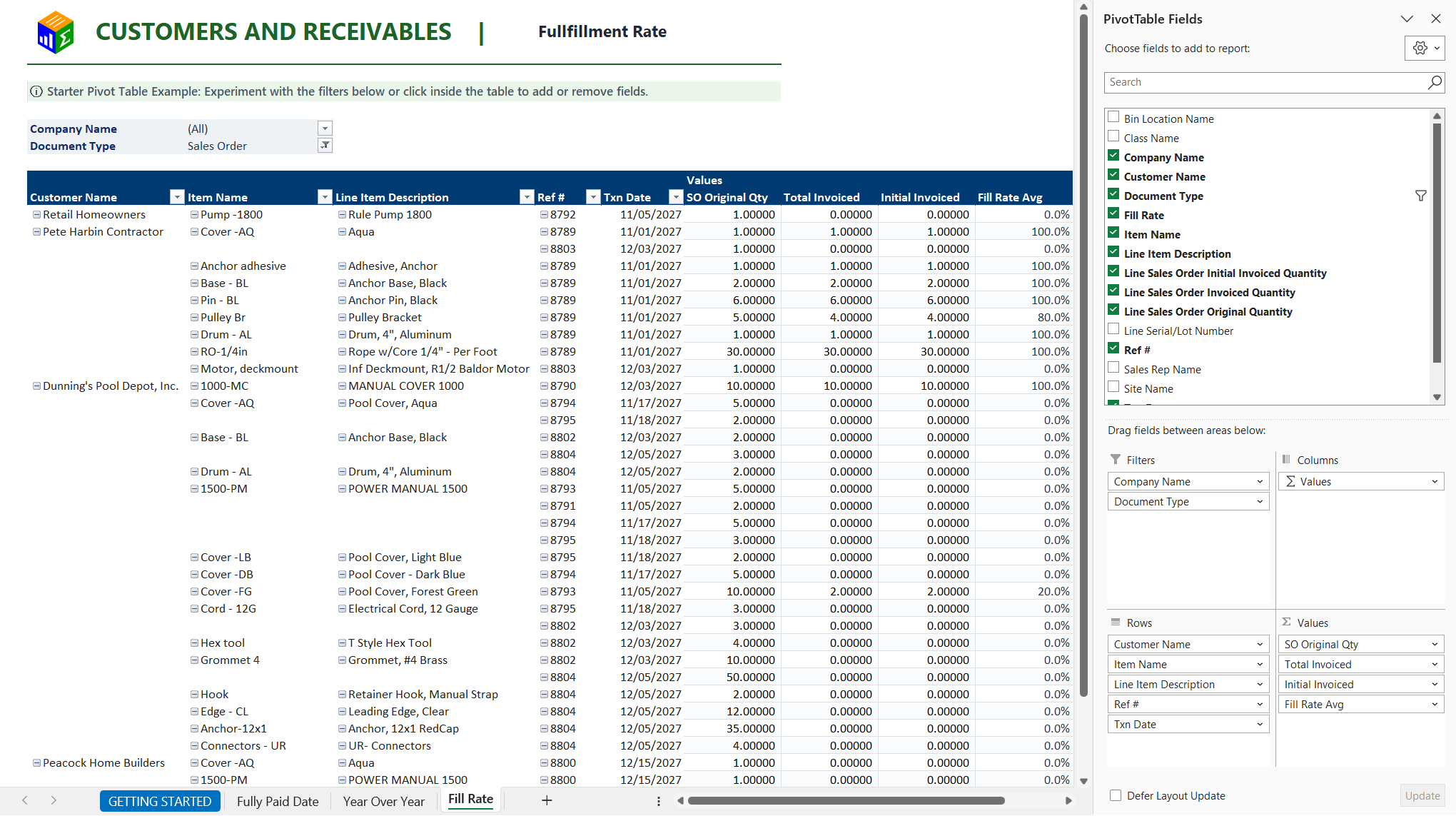
Track fulfillment from ordered quantities through invoicing.
Power BI Sales Overview
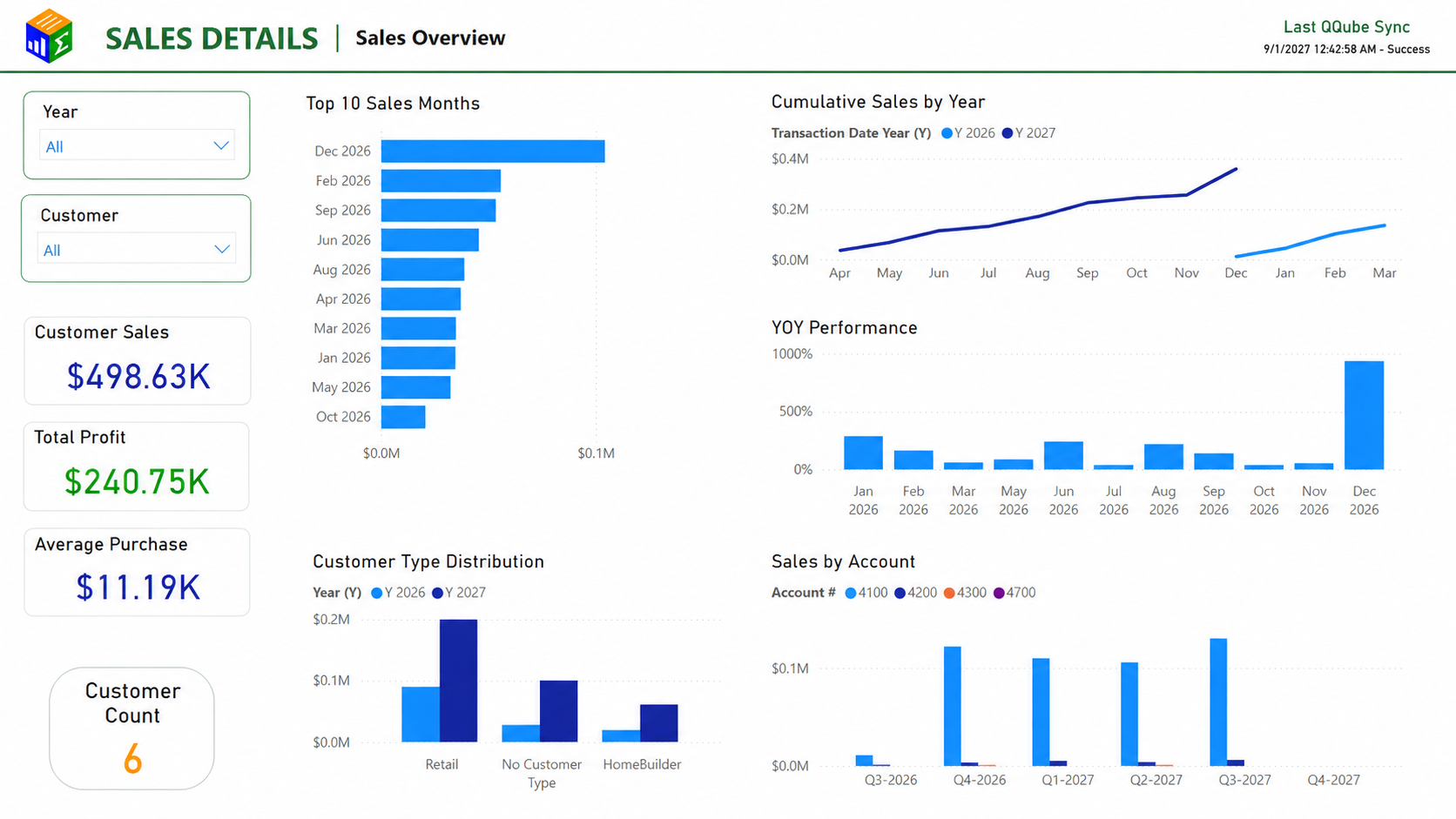
Review customer history, item margins, and sales performance.
Customers and Receivables References
Start Reporting on Customers and Receivables
Connect QuickBooks. Choose the reporting models you need. Start with an included example.