
Track Inventory from Stock to Assembly
QQube prepares inventory and bill-of-materials reporting models for quantities, valuation, consumption, forecasting, and assembly analysis.
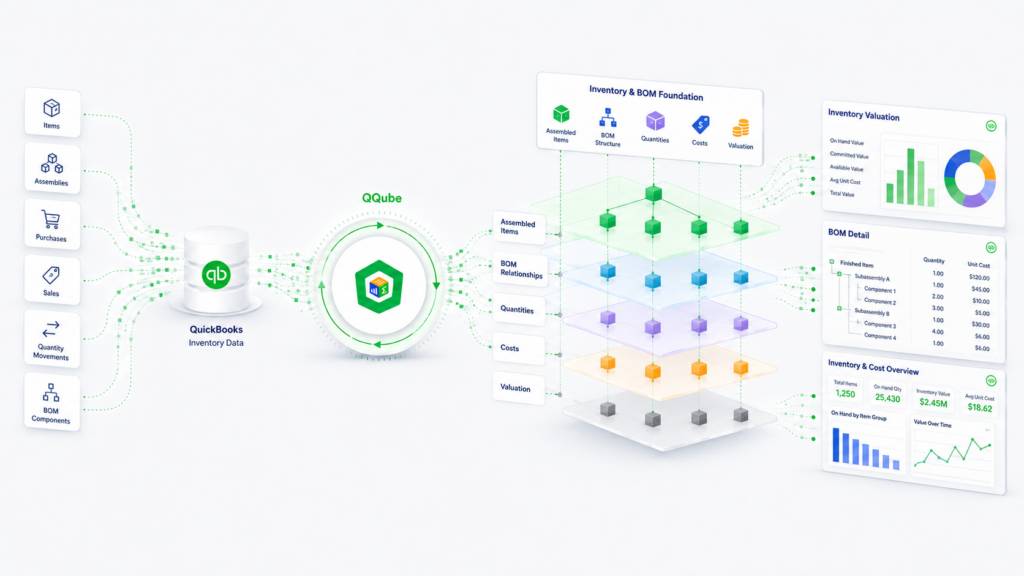
Inventory Position
Review on-hand quantities, valuation, lots, serial numbers, aging, turnover, and days sales.
Sales & Consumption
Analyze sales, purchases, completed builds, component consumption, transfers, adjustments, COGS, and margin.
Forecast & Reorder
Combine open orders, expected dates, pending builds, reorder status, fill rate, and days out of stock.
Bill of Materials
Explode assemblies through nested sublevels and calculate total component quantities required.
What QQube Prepares
QQube prepares the inventory activity, forecast logic, and assembly structure needed for reporting.
Unified Inventory Activity
Sales, purchases, builds, consumption, transfers, adjustments, and linked transactions are organized together.
Forecast & Assembly Logic
Prepared forecast dates, quantities, order status, replenishment metrics, and nested BOM explosion logic.
Prepared Measures
Prepared measures for quantity, valuation, margin, turnover, forecasting, and period analysis.
See the Reporting Result
Excel Bill of Materials Explosion
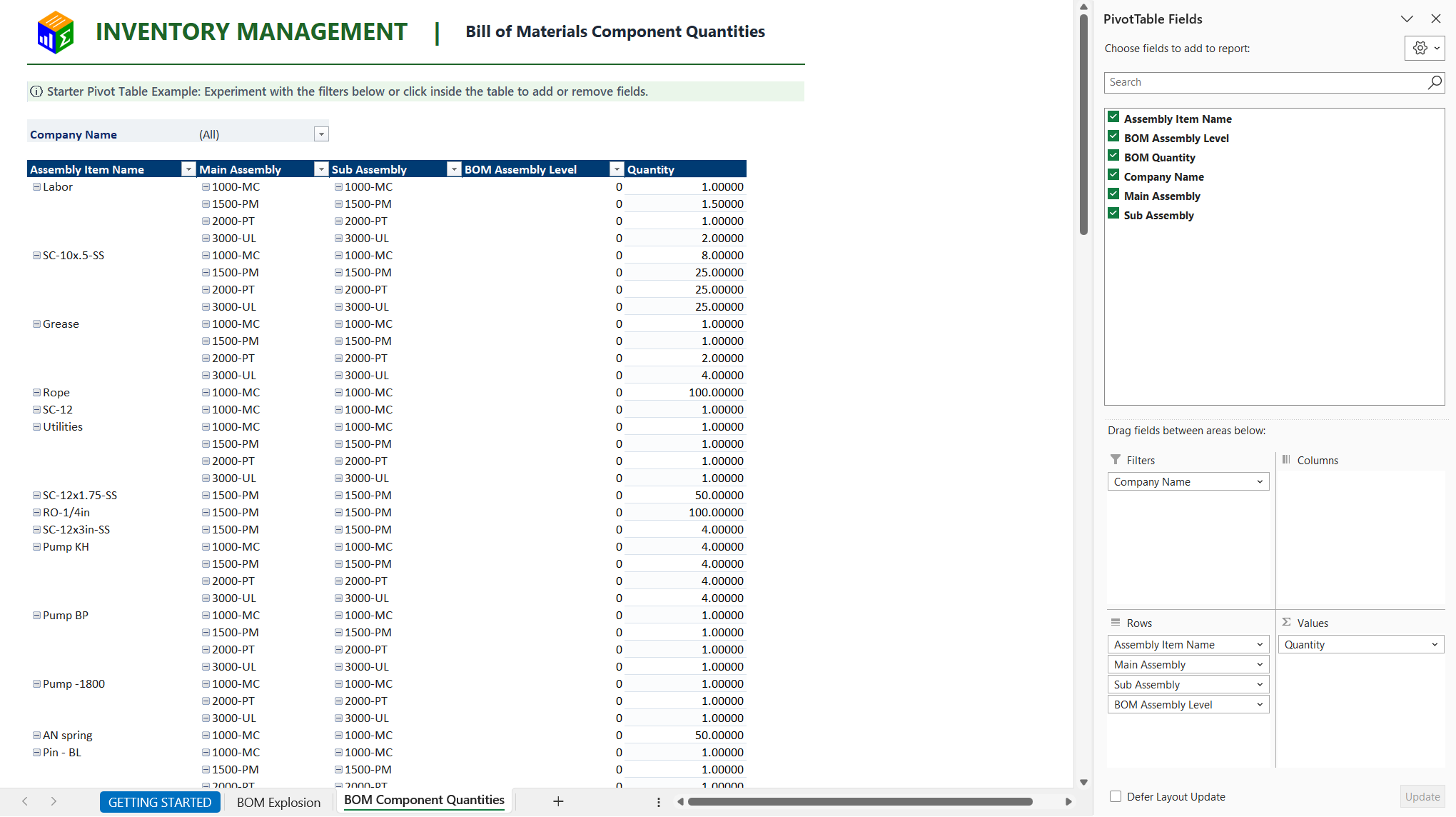
Expand nested assemblies to review required component quantities in Excel.
Power BI Inventory Overview
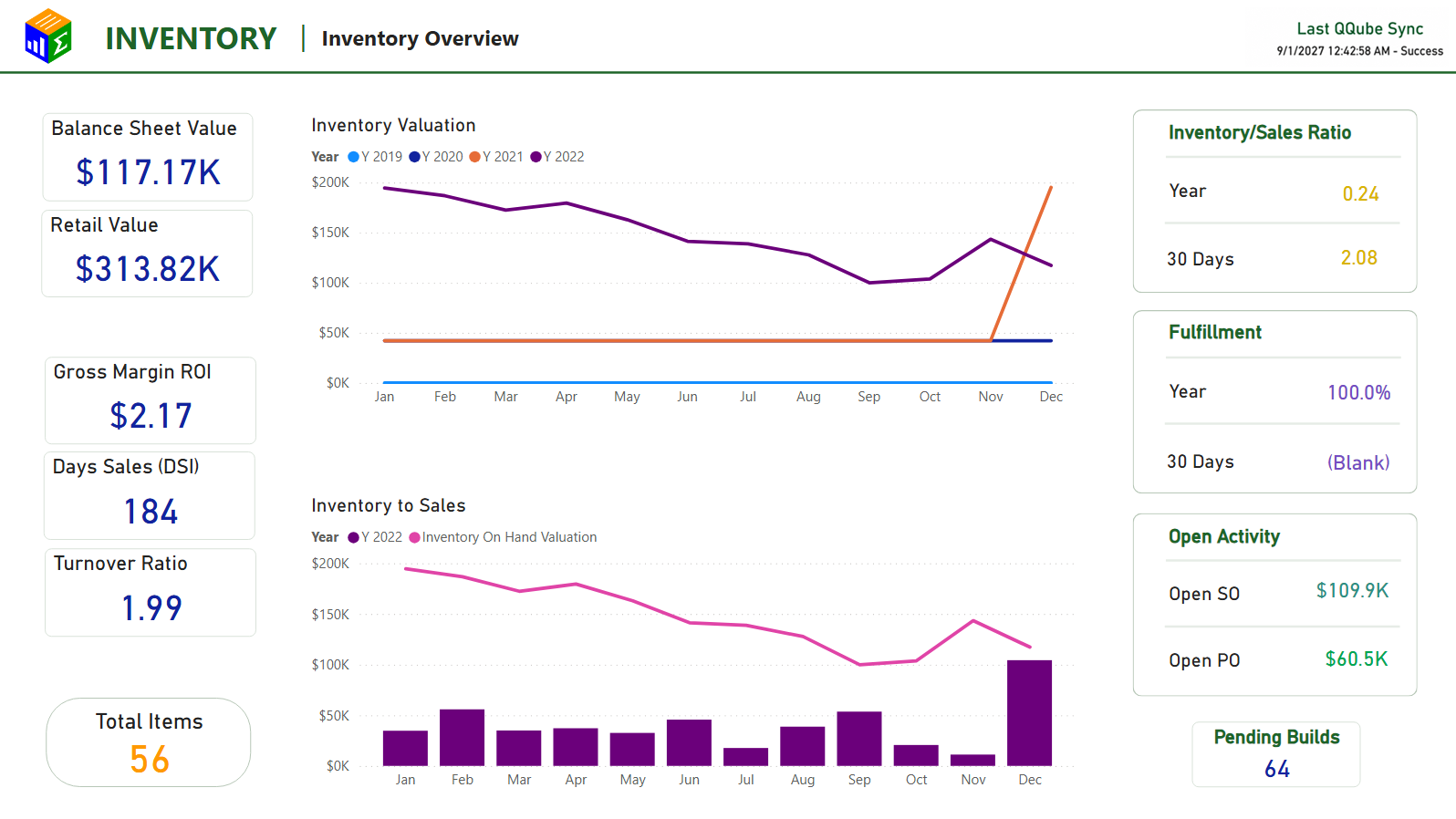
Review valuation, margin, turnover, days sales, and inventory-to-sales performance.
Inventory and BOM References
Start Reporting on Inventory and BOM
Connect QuickBooks. Choose the inventory or BOM reporting model you need. Start with an included example.